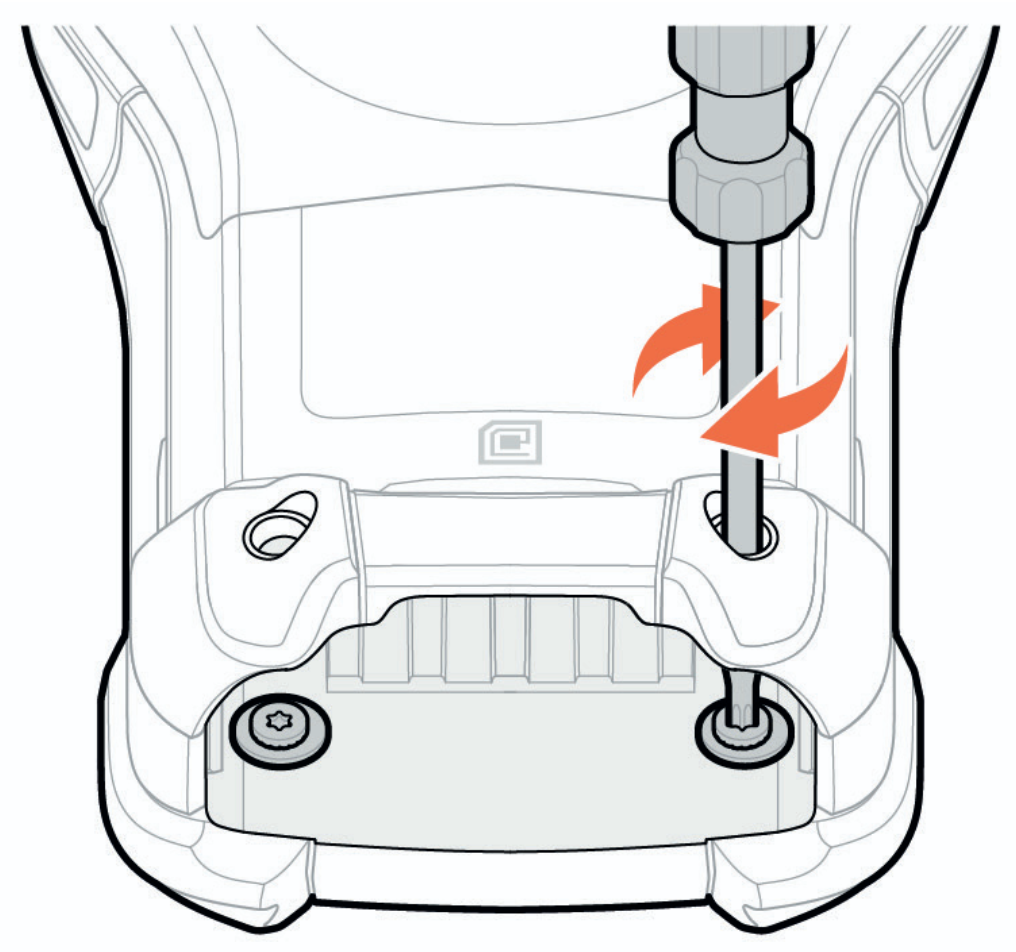
To support specialized applications, you can change the modular keypads in the safe are when required.
| Important note: Must be assemble/disassemble only outside potentially explosive atmosphere! |
For more important information on safety-related use, please refer to the BARTEC Quick Start Guide.
The device has the following interchangeable modular keypads:
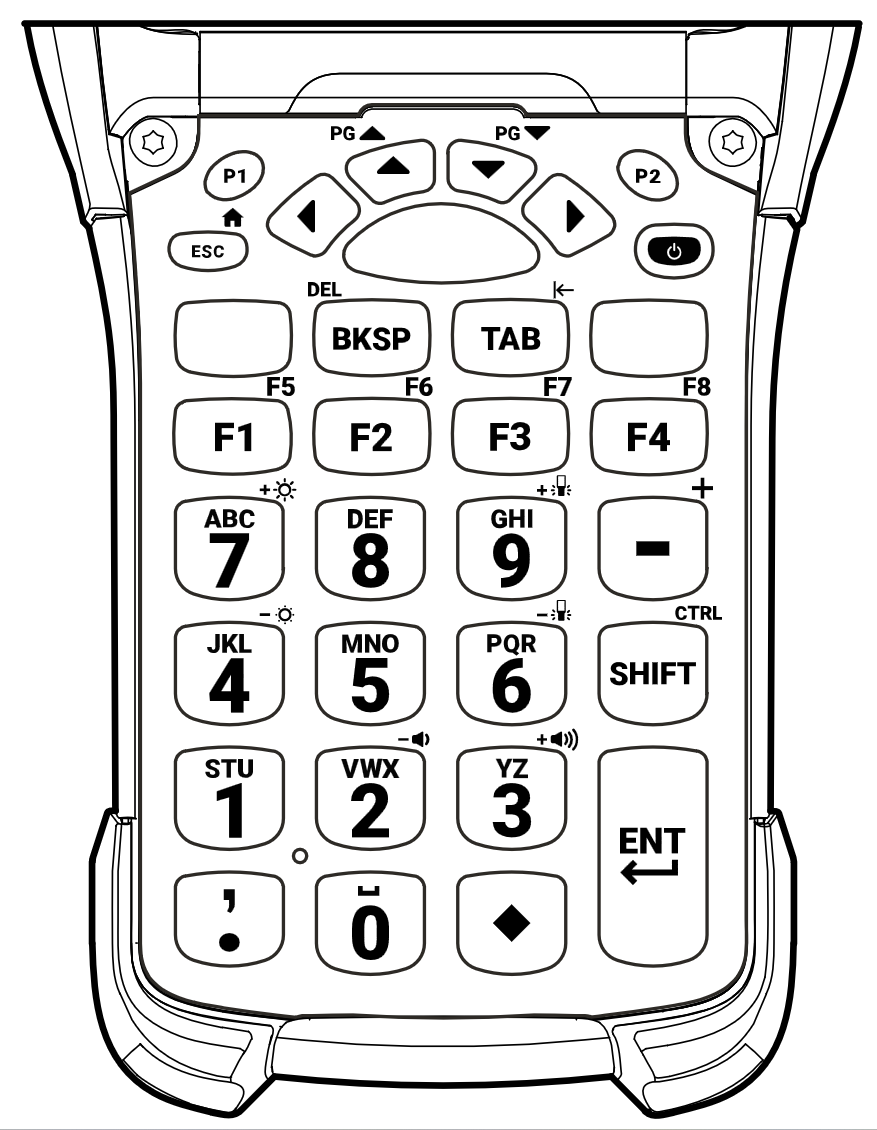
| 29-key numeric shifted alpha keypad | Order number: B7-A2Z0-0063 |
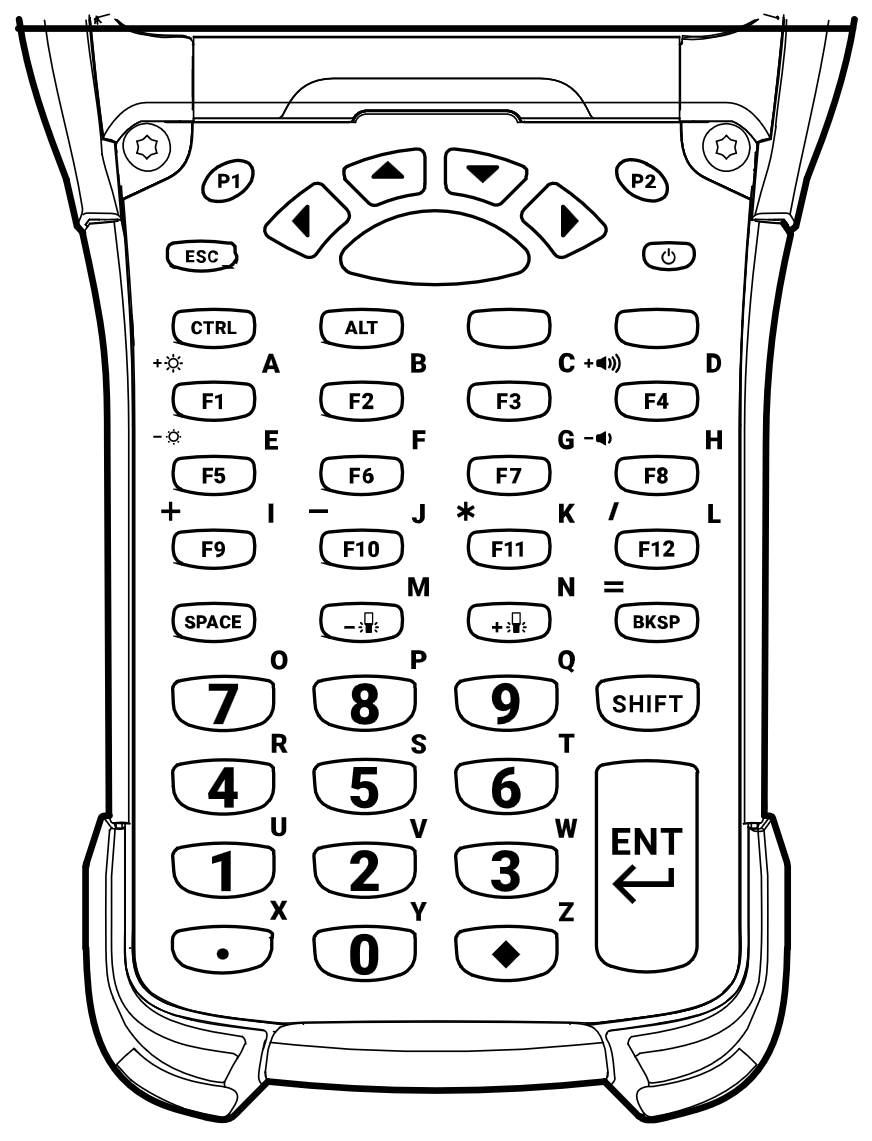
| 43-key numeric, (F)-function keys shifted alpha keypad | Order number: B7-A2Z0-0065 |
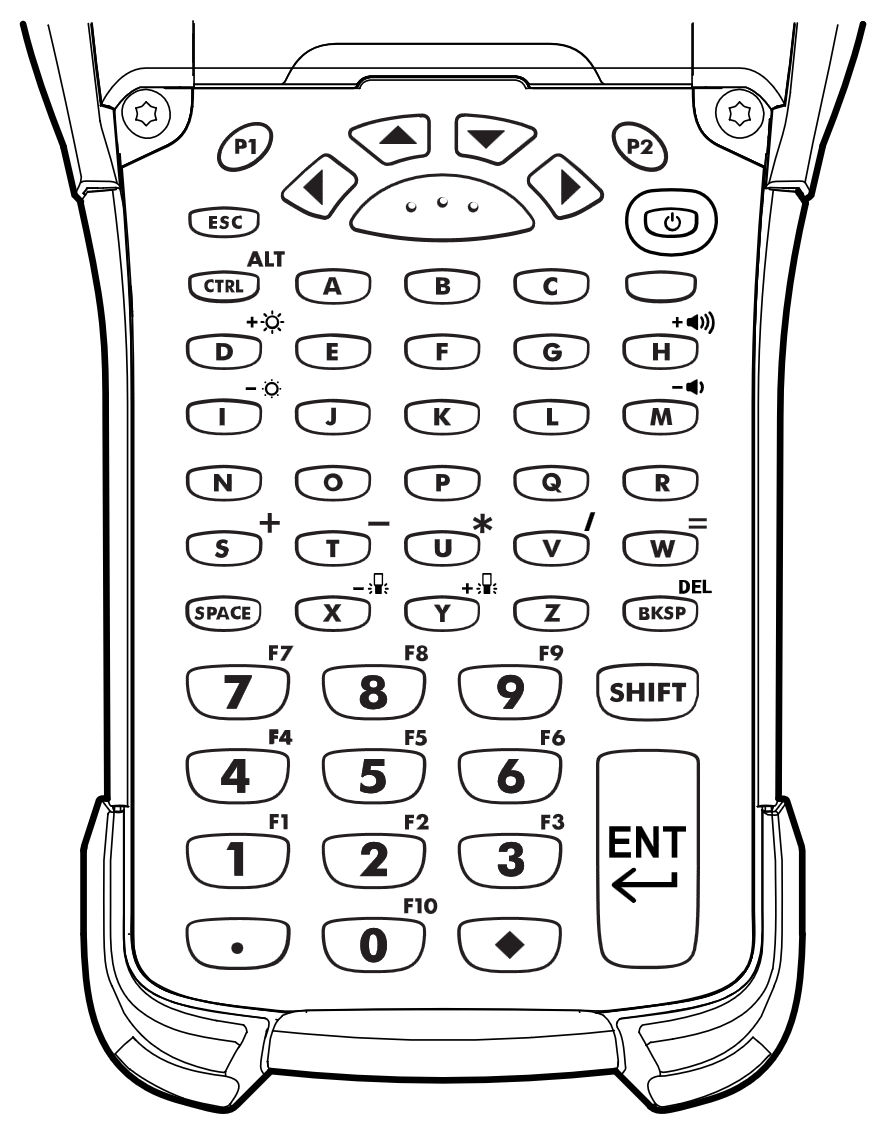
| 53-key alphanumeric standard keypad | Order number: B7-A2Z0-0066 |
| 53-key alphanumeric for VT Emulator keypad | Order number: B7-A2Z0-0067 |
The keypads are compatible with the following devices:
- BARTEC MC9400/9450EX2 Mobile Computer
- BARTEC MC93ex-NI - Mobile Computer
| 29-key numeric shifted alpha keypad Order number: B7-A2Z0-0063 | 43-key numeric, (F)-function keys shifted alpha keypad Order number: B7-A2Z0-0065 |
 |  |
| 53-key alphanumeric standard keypad Order number: B7-A2Z0-0066 | 53-key alphanumeric for VT Emulator keypad Order number: B7-A2Z0-0067 |
 | 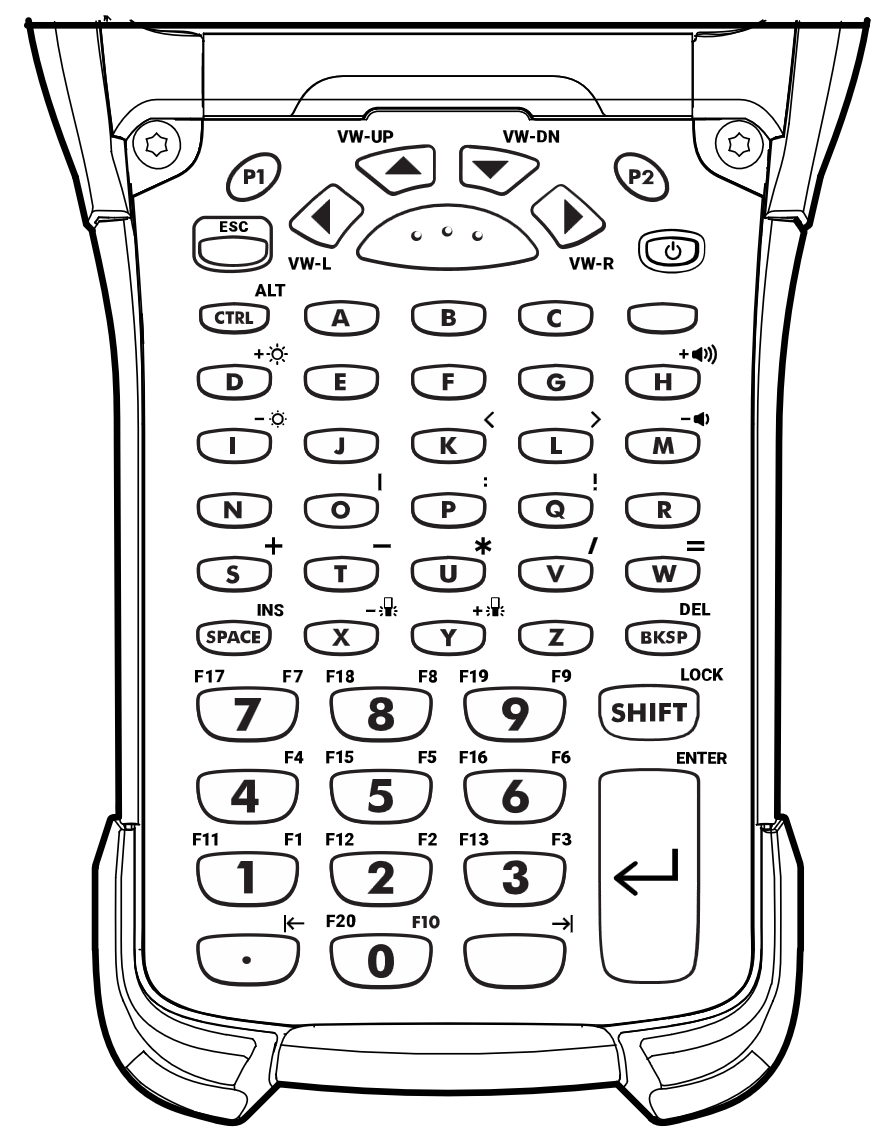 |
Removing and Replacing Keypads
Important note:
|
- Power off the device.
- Remove the battery.
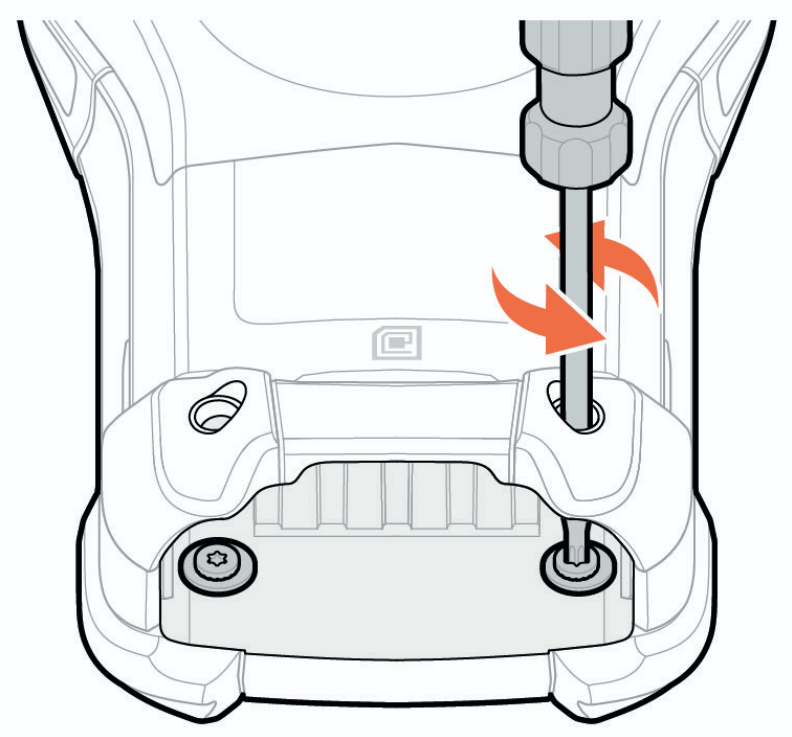
- Using a long, thin T8 screwdriver, remove the two screws and washers from inside the battery slot.
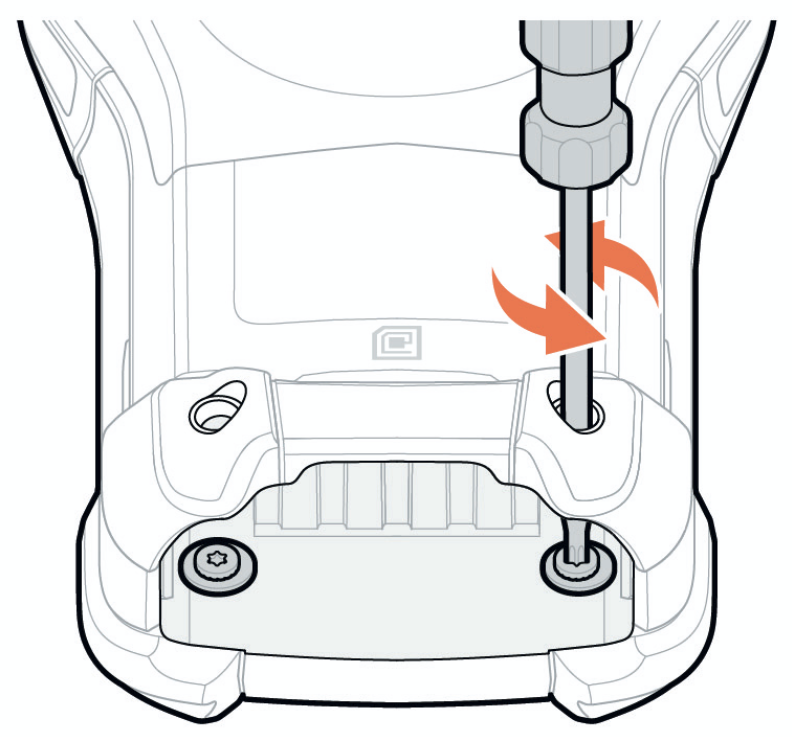
- Turn the device over so that the keypad is visible.
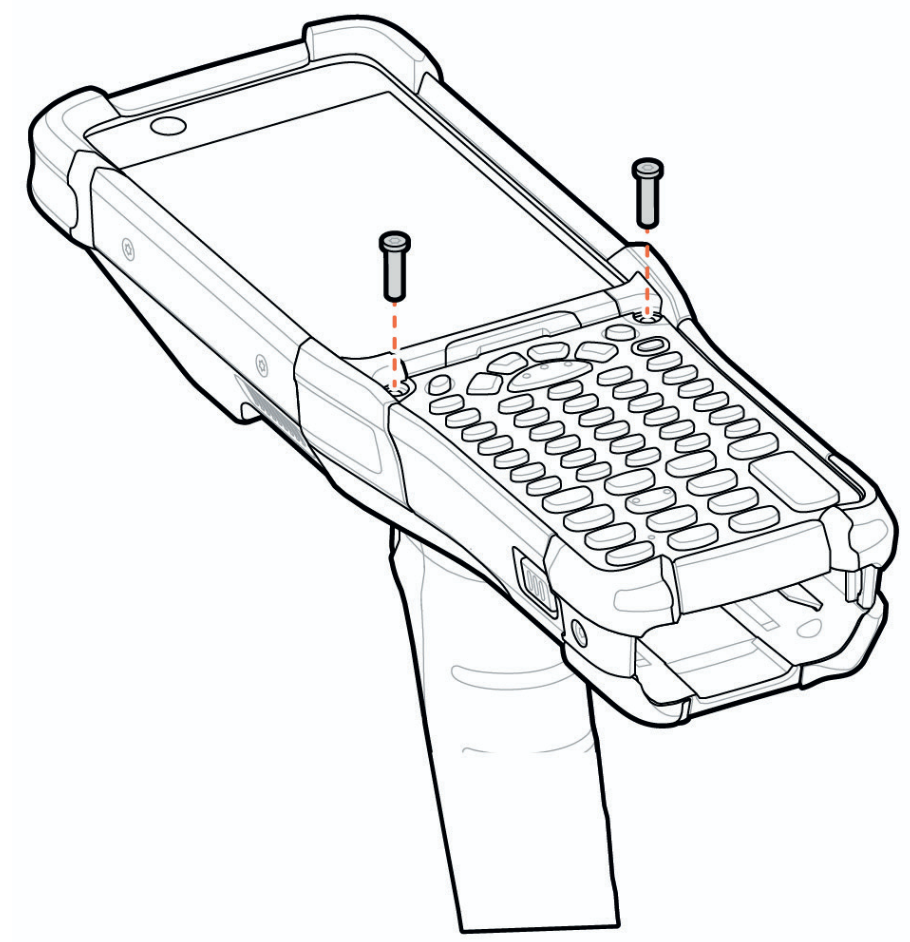
- Using a T8 screwdriver, remove the two keypad assembly screws from the top of the keypad.
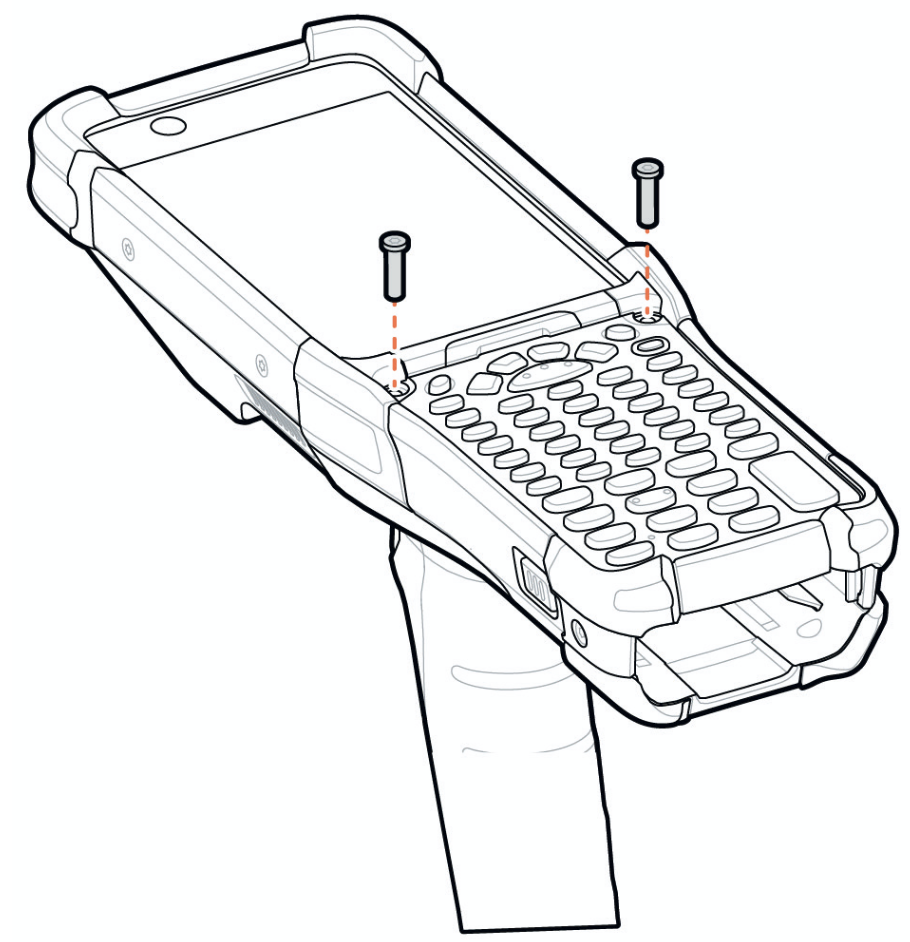
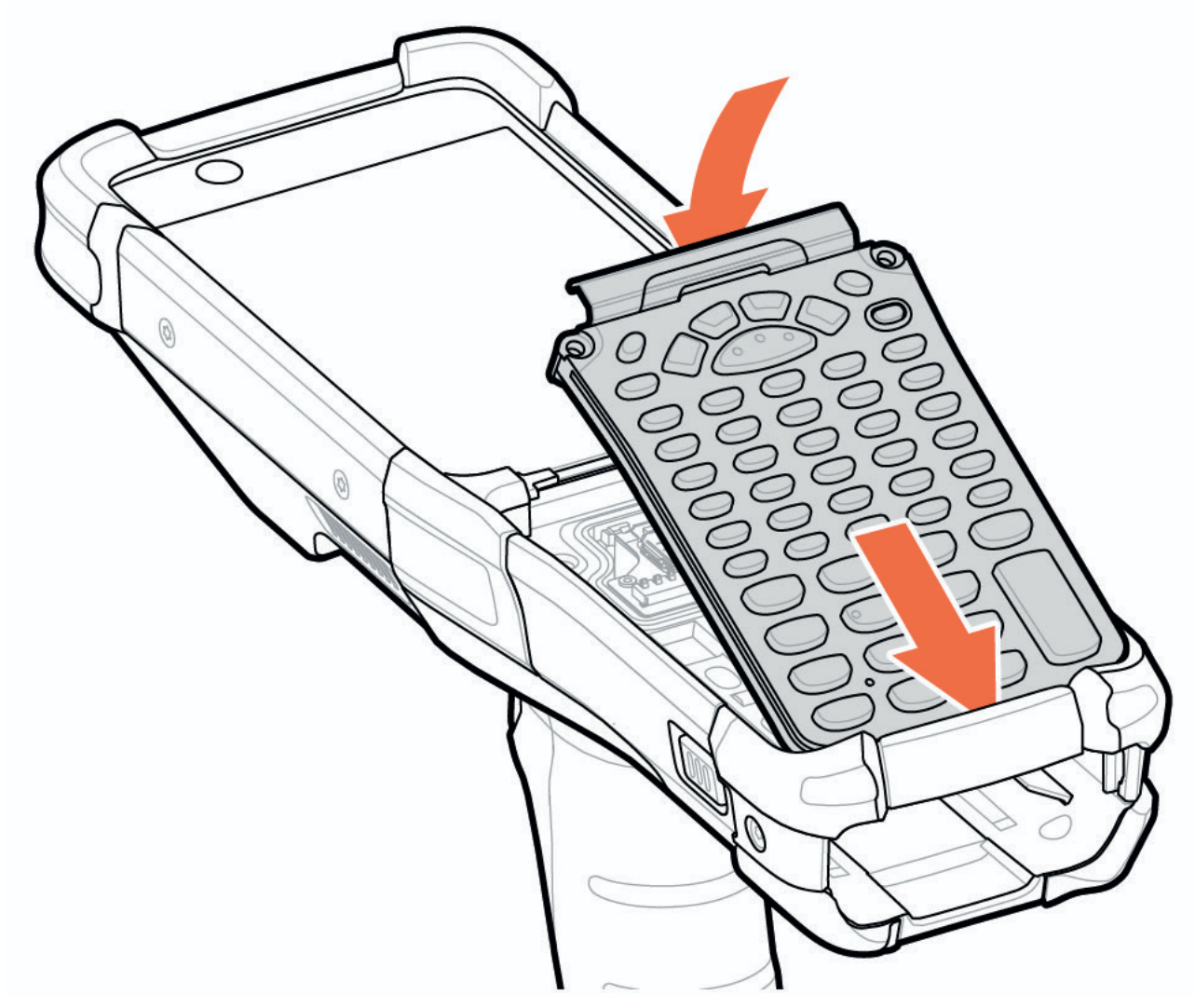
- Lift the keypad from the device.
- Align the new keypad along the bottom ridge of the device, and then lay it flat.
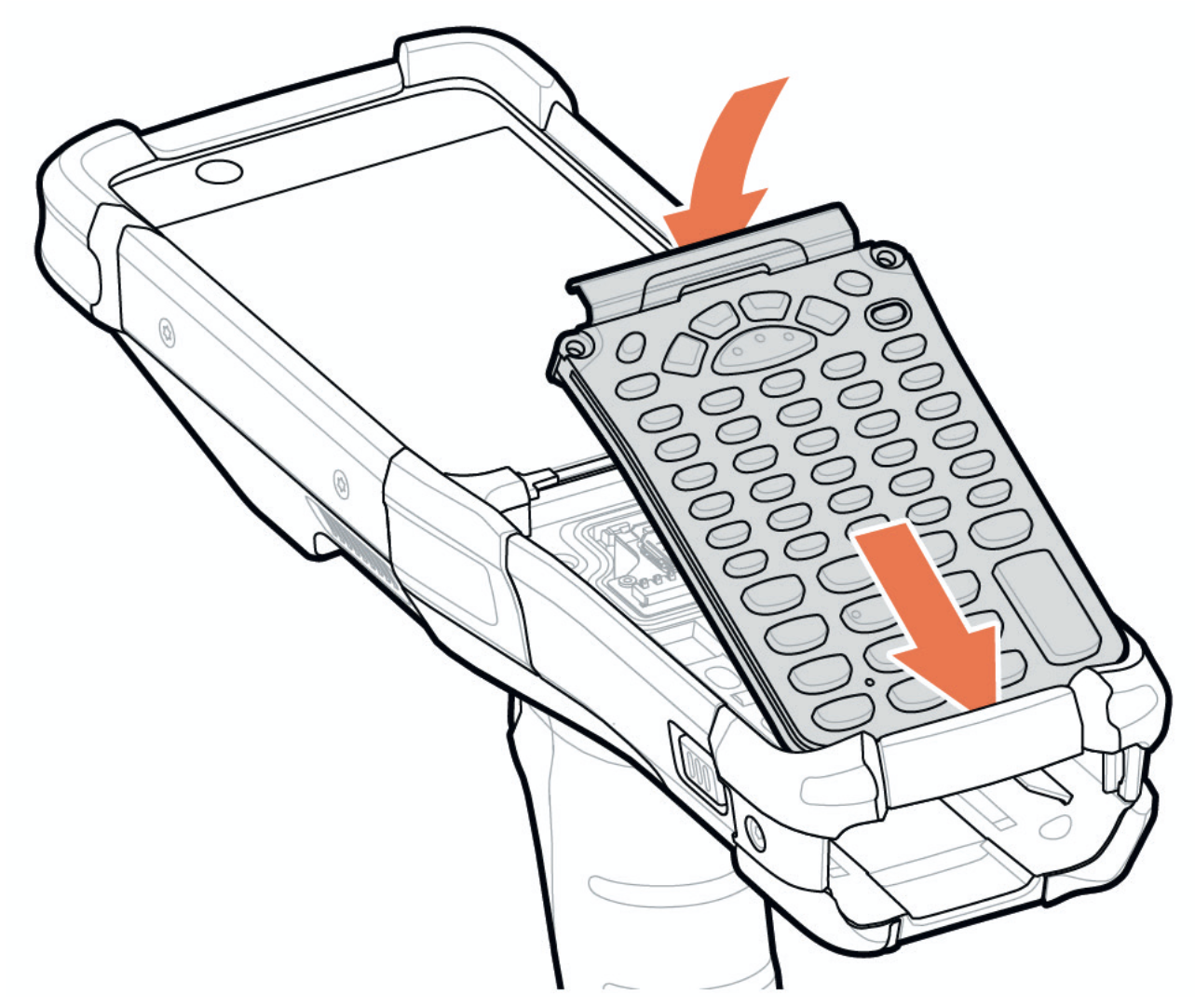
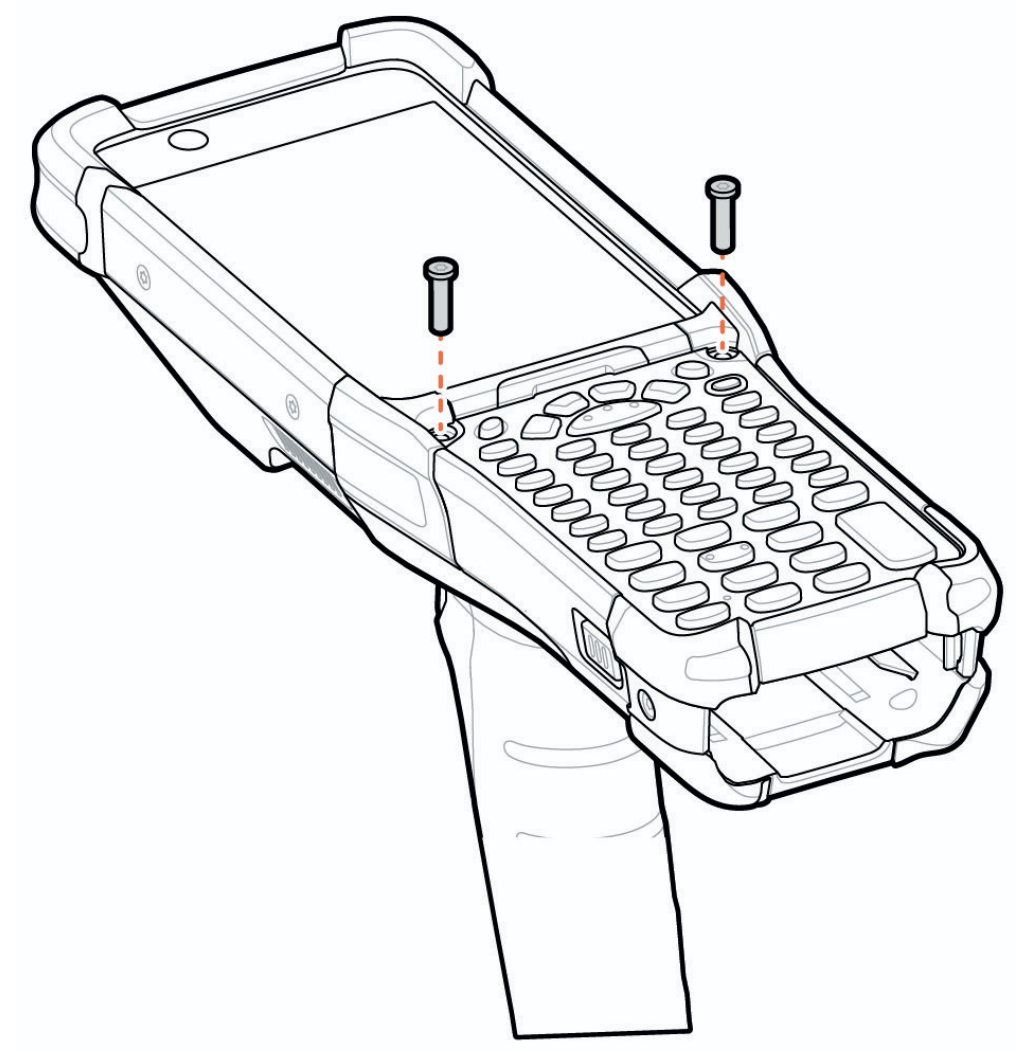
- Using a T8 screwdriver, secure the keypad to the device using the two screws. Torque the screws to 5.8 kgf-cm (5.0 lbf-in).
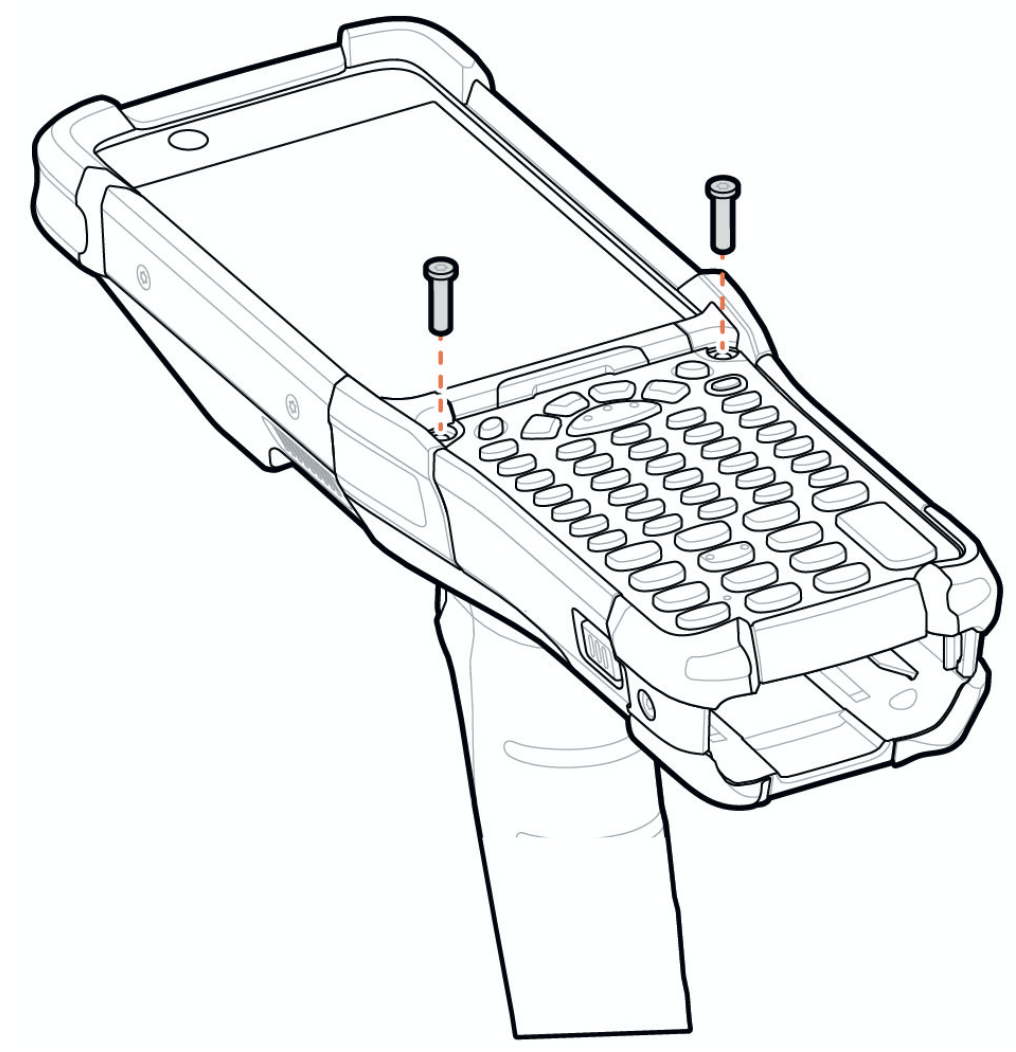
- Turn the device over.
- Using a long, thin T8 screwdriver, replace the two screws and washers inside the battery slot and torque to 5.8 kgf-cm (5.0 lbf-in).
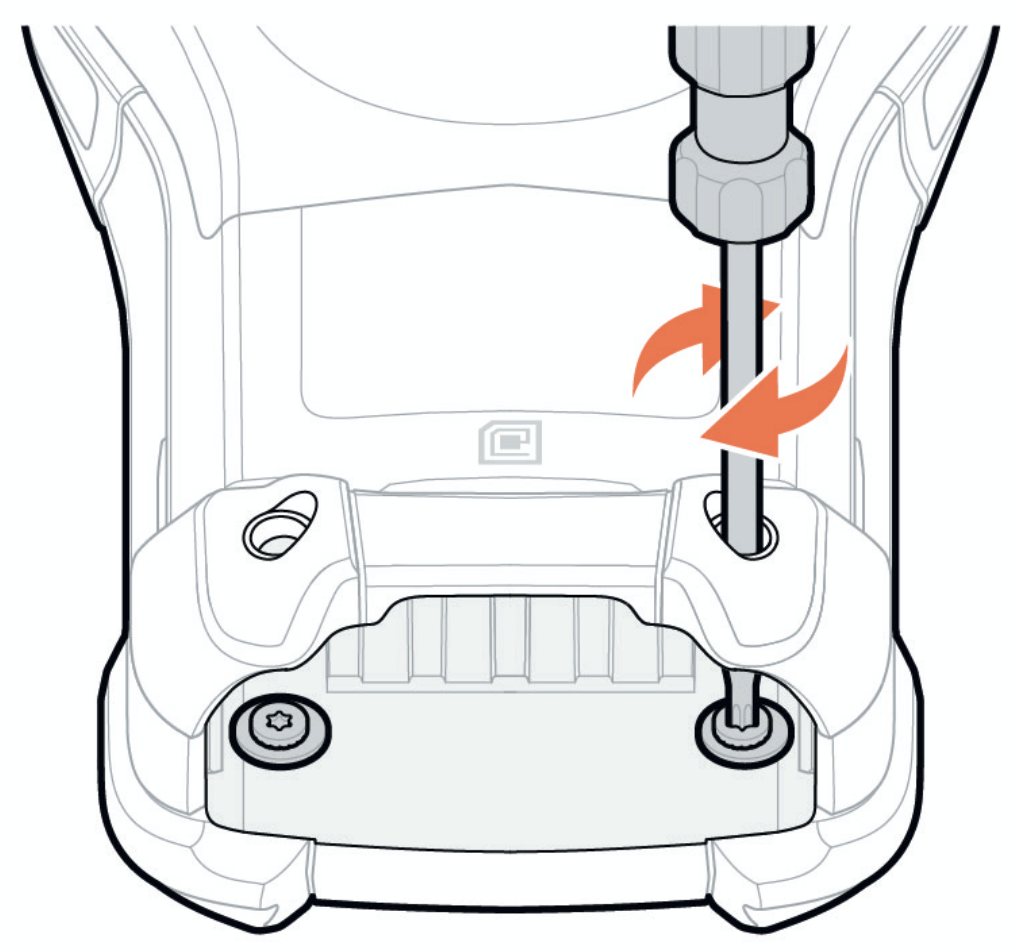
- Insert the battery.
- Press and hold Power to power on the device.